Smart Global Digital Hub

How to Use AI for On Page SEO (Beginner Guide)

How to use AI for on page SEO with this beginner-friendly guide. Discover AI tools, keyword research, content optimization, and ranking strategies.

Thank you for reading this post, don't forget to subscribe!

Introduction

How to Use AI for on page SEO (Beginner Guide)

Search Engine Optimization (SEO) is one of the most powerful ways to get free traffic from Google. But for beginners, SEO can feel complicated and time-consuming.

This is where Artificial Intelligence (AI) makes things easy.

In 2026, AI tools can help you:
βœ” Find keywords
βœ” Write content
βœ” Optimize your website
βœ” Improve rankings

In this guide, you will learn how to use AI for on page SEO step-by-step, even if you are a beginner.
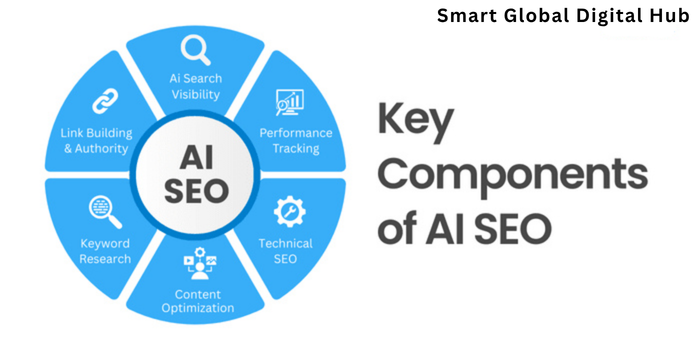
AI for SEO optimization concept

What is AI in SEO?

AI in SEO means using smart tools that analyze data and automate tasks to improve your website’s ranking on Google.

Instead of doing everything manually, AI helps you:

  • Work faster
  • Make better decisions
  • Get higher rankings

How To Use AI for on page SEO

πŸ” Step 1: Use AI for Keyword Research

Keywords are the foundation of SEO.

AI tools help you find:
βœ” High search keywords
βœ” Low competition keywords
βœ” Trending topics

πŸ”Ή Tools You Can Use:

  • Ubersuggest
  • SEMrush
  • Google Keyword Planner

🎯 Example:

Instead of targeting:
πŸ‘‰ β€œSEO” (very competitive)

Use:
πŸ‘‰ β€œSEO for small businesses in India”

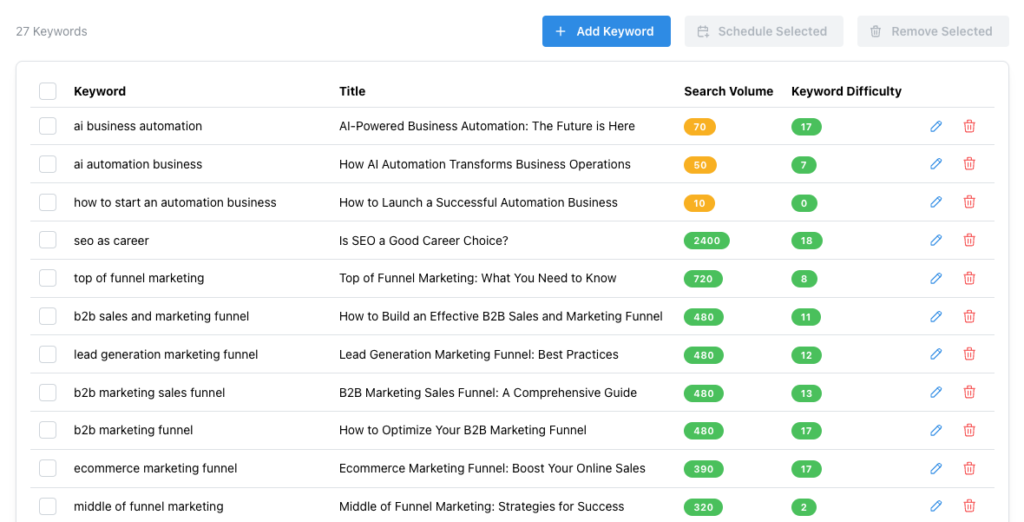
AI keyword research tool dashboard

✍️Step 2: Use AI for Content Creation

Content is key to ranking on Google.

AI tools can help you:
βœ” Generate blog ideas
βœ” Write articles
βœ” Improve readability

πŸ”Ή Popular Tools:

  • ChatGPT
  • Jasper AI
  • Copy.ai

πŸ’‘ Tip:

Always edit AI content to make it:
βœ” Human-friendly
βœ” Easy to understand
βœ” Unique

πŸ“ŠStep 3: Optimize Content with AI

AI tools analyze your content and suggest improvements.

βœ” They help you:

  • Add keywords correctly
  • Improve headings
  • Increase readability

πŸ”Ή Tools:

  • Surfer SEO
  • Frase
  • RankMath (WordPress)

πŸ‘‰ This helps your blog rank higher on Google.

AI content optimization SEO tool

🌐Step 4: Use AI for Technical SEO

Technical SEO improves your website performance.

AI tools help with:
βœ” Website speed
βœ” Mobile optimization
βœ” Error detection

πŸ”Ή Tools:

  • Google Search Console
  • PageSpeed Insights

πŸ‘‰ A fast website ranks better on Google.

πŸ”—Step 5: Use AI for Link Building

Backlinks are important for SEO.

AI helps you:
βœ” Find backlink opportunities
βœ” Analyze competitors
βœ” Suggest outreach strategies

πŸ‘‰ More backlinks = better ranking

πŸ“± Step 6: Use AI for User Experience (UX)

Google ranks websites based on user experience.

AI helps improve:
βœ” Page layout
βœ” Content readability
βœ” Navigation

πŸ‘‰ Better UX = more time on site = better ranking

⚑ Benefits of Using AI for SEO

βœ” Saves time
βœ” Improves accuracy
βœ” Boosts rankings
βœ” Generates content faster
βœ” Helps beginners succeed

⚠️ Common Mistakes to Avoid

❌ Using AI content without editing
❌ Keyword stuffing
❌ Ignoring user experience
❌ Not updating content

πŸ‘‰ Always combine AI + human strategy

🎯 Simple AI SEO Strategy (For Beginners)

Follow this formula:

πŸ‘‰ Keyword Research β†’ Content Creation β†’ Optimization β†’ Internal Linking β†’ Tracking

Repeat this process consistently to rank faster.

πŸ“’ Conclusion

AI has made SEO easier, faster, and more effective in 2026. Even beginners can now rank their websites using the right tools and strategies.

By using AI for SEO, you can:
βœ” Get more traffic
βœ” Improve rankings
βœ” Grow your business

Start using AI today and take your website to the next level.

πŸ“ž Want to Rank Your Website on Google?

At Smart Global Digital Hub, we help businesses with:

βœ” SEO optimization
βœ” AI-powered marketing
βœ” Website development
βœ” Lead generation

πŸ‘‰ Contact us today and start ranking on Google πŸš€

1 thought on “How to Use AI for on page SEO (Beginner Guide)”

  1. Pingback: How to Create Website in 2025 From Scratch in 9 Steps

Leave a Comment

Your email address will not be published. Required fields are marked *

Scroll to Top