Smart Global Digital Hub

How to Rank Your Website on Google Using AI (Step-by-Step)

Rank Your website on google search | AI SEO strategy | SEO for beginners | Google ranking tips

Thank you for reading this post, don't forget to subscribe!

How to rank your website on Google using AI. Step-by-step guide with keyword research, SEO optimization, and AI tools to boost rankings.

Introduction

πŸš€ How to Rank Your Website on Google Using AI (Step-by-Step)

How to Rank your website on Google is one of the best ways to get free traffic and clients. But SEO can feel difficultβ€”especially for beginners.

The good news?
In 2026, Artificial Intelligence (AI) has made SEO much easier.

With AI, you can:
βœ” Find the right keywords
βœ” Create SEO content faster
βœ” Optimize your website
βœ” Improve rankings

In this guide, you will learn how to rank your website on Google using AI step-by-step.

Rank Your Website on Google search
AI helping website rank on Google

πŸ” Step 1: Keyword Research Using AI

Keywords are the foundation of SEO.

Without keywords a blog can’t be ranked on google Search, so it is a very important part of blog and you have to very careful before searching a keyword.

AI tools help you find:
βœ” High search keywords
βœ” Low competition keywords
βœ” Long-tail keywords

πŸ”Ή Tools You Can Use:

  • Google Keyword Planner
  • Ubersuggest
  • AI tools like ChatGPT

🎯 Example:

Instead of targeting:
❌ β€œSEO”

Target:
βœ… β€œSEO for small businesses in India”

πŸ‘‰ This increases your chances of ranking faster.

✍️ Step 2: Create SEO-Optimized Content

Content is the most important ranking factor.

You can Use and may take help of AI to generate text for content of an article to write a blog:
βœ” Generate blog topics
βœ” Write articles
βœ” Create structured content

Before publishing a Blog one should be very careful after writing a content by using AI. The content should be reviewed properly and make the necessary changes so the should looks like human or manually written.

πŸ’‘ Tip:

Your content should:

  • Be easy to read
  • Provide value
  • Answer user queries
AI content creation for SEO
AI writing blog

πŸ“Š Step 3: Optimize Content for SEO

Writing content is not enoughβ€”you must optimize it.

βœ” Optimize:

  • Title (include keyword)
  • Meta description
  • Headings (H2, H3)
  • Image alt text

πŸ”Ή Tools:

πŸ‘‰ This helps Google understand your content better.

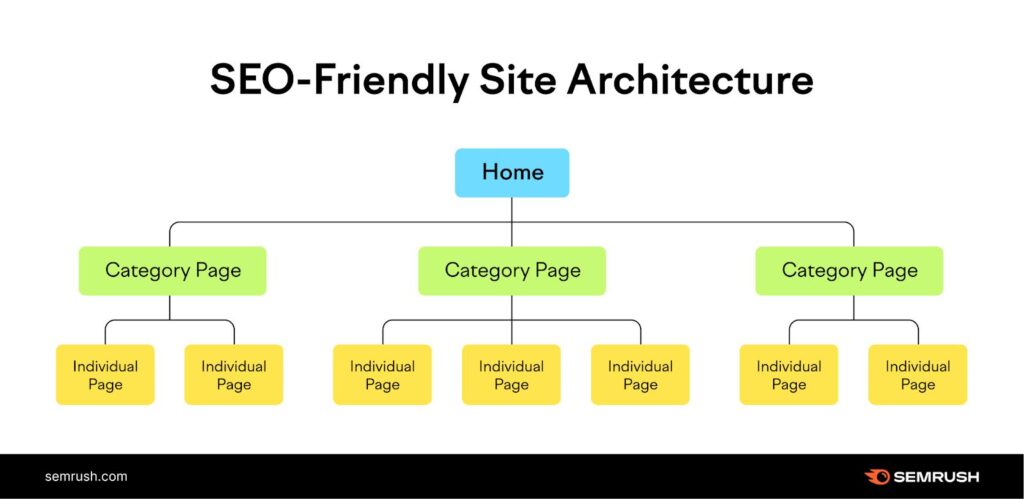
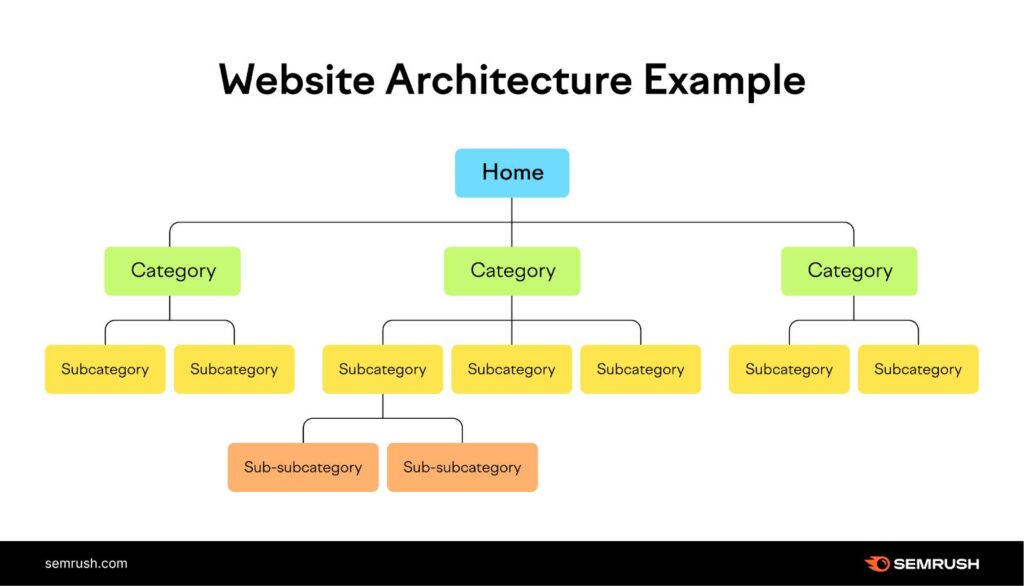
πŸ”— Step 4: Build Internal Links

Internal linking improves SEO and keeps users engaged.

βœ” Link your blog with your previous blogs to rank on google search:

  • Related blog posts
  • Service pages
  • Hub page

πŸ‘‰ Example:
β€œLearn more in our guide on How to Use AI for SEO.”

⚑ Step 5: Improve Website Performance

Google ranks fast and user-friendly websites higher.

You can improve your website speed making your website user friendly by adopting and following theΒ  steps and by using google tools mentioned below.

βœ” Improve:

  • Website speed
  • Mobile responsiveness
  • Navigation

πŸ”Ή Tools:

  • PageSpeed Insights
  • Google Search Console

πŸ”— Step 6: Get Backlinks Using AI

Backlinks are links from other websites.

Backlinks play an important role to rank your website and now you will come to know how to Rank your website on google search. It is very important to know how to use Backlinks, firstly we should know what are backlinks. Building Backlinks are linking other website with your website.

Backlinks help:
βœ” Build authority
βœ” Improve rankings

βœ” AI Helps You:

  • Find backlink opportunities
  • Analyze competitors
  • Create outreach emails

πŸ‘‰ More quality backlinks = better ranking

πŸ” Step 7: Update Content Regularly

Google prefers fresh content.

Posting fresh content is one of the important step in how to Rank your website on Google search.Β 

βœ” Do this:

  • Update old blogs
  • Add new information
  • Improve SEO

πŸ‘‰ This keeps your rankings strong.

🎯 Simple Formula to Rank Faster

Here under below is the Simple Formula every Blogger or content creator has to follow To Rank your website on Google search.

πŸ‘‰ Keyword Research + Content + SEO Optimization + Backlinks + Consistency = Google Ranking

⚠️ Common Mistakes to Avoid

How to Rank your website on Google search you have to avoid the following Mistakes:

❌ Keyword stuffing – To rank your website in google search, Avoid stuffing of keywords.


❌ Copying content – Don’t copy the content or images of other other websites as they come under copyright rule.


❌ Ignoring mobile optimization – Everybody should follow mobile optimized strategy as in today era mobile is the main instrument of digital world.


❌ Not using internal links – Not using internal links may create the main hurdle in ranking your website in google search.

πŸ‘‰ Focus on quality, not shortcuts.

πŸ“ˆ How to Rank on Google Search (Practical Strategy)

How to Rank Your website on Google search you have to follow this exact plan:

πŸ—“οΈ Weekly Plan:

βœ” Week 1–2:

  • Publish 2 SEO blogs
  • Optimize homepage

βœ” Week 3–4:

  • Build internal links
  • Submit site to Google

πŸ”₯ Monthly Plan:

βœ” Write 8–10 blogs
βœ” Update old content
βœ” Build backlinks


πŸ“Š Tools to Use:

  • Google Search Console
  • RankMath
  • AI tools for content

Conclusion

Ranking your website on Google is no longer difficult if you use AI correctly. It helps you save time, improve accuracy, and achieve better results.

By following this step-by-step guide, you can:
βœ” Increase website traffic
βœ” Improve Google ranking
βœ” Generate leads
βœ” Grow your business

Start using AI today and take your website to the next level.

πŸ“ž Want to Rank Your Website Faster?

At Smart Global Digital Hub, we help businesses with:

βœ” SEO optimization
βœ” AI-powered marketing
βœ” Website development
βœ” Lead generation

πŸ‘‰ Contact us today and grow your business πŸš€

Leave a Comment

Your email address will not be published. Required fields are marked *

Scroll to Top